Co-op Setup Guide
Gamble With Your Friends Multiplayer Guide: Invite Friends and Fix Lobby Problems
A practical setup guide for hosting a private Steam lobby, inviting friends, choosing a group size, coordinating with proximity voice chat, and troubleshooting connection problems.
Quick answer: how does multiplayer work?
Gamble With Your Friends supports 1–6 players online. One player hosts a private friends-only session and can invite up to five Steam friends. The official store page also lists proximity voice chat, so communication can change as players move through the run.
Preflight
Before you create the lobby
A two-minute preflight avoids most failed starts. Everyone should use the same current Steam build and complete basic Steam checks before the host opens the session.
Use the official Steam build
Install and launch the game through Steam. Avoid cracked, unofficial, or mismatched copies because this guide does not support piracy or unsafe downloads.
Update everyone first
Ask every player to close the game, finish pending Steam updates, and relaunch Steam before joining.
Choose one stable host
Let the player with the most stable connection host. Keep the same host while troubleshooting so the test conditions do not change.
Check Steam presence
Friends should appear online and available in Steam. Invisible or offline status can make invitation troubleshooting confusing.
Invite Flow
How to invite friends in Gamble With Your Friends
The exact button wording can change as the game evolves, but the reliable flow is to create the multiplayer session first and then send invitations through the game or Steam friends interface.
Launch through Steam
The host starts Gamble With Your Friends from the Steam library and reaches the multiplayer or lobby flow.
Create a private session
Choose the friends-only multiplayer option and wait until the lobby is fully created before sending invitations.
Invite up to five friends
Use the in-game invite control or Steam friends overlay to invite the group. Each friend accepts the invitation from Steam.
Confirm every player loads in
Do not start immediately. Check that every name appears, voice works, and no player is stuck loading.
Restart cleanly if needed
If one person cannot join, recreate the lobby after both host and affected player restart the game and Steam.
Group Size
Best group size: solo, duo, or full six-player lobby?
The game officially supports one to six players, but the best size depends on whether your group values fast decisions, social chaos, or coverage across the run.
| Group | Best for | Trade-off |
|---|---|---|
| 1 player | Practice systems and learn pacing | No co-op backup; multiplayer-specific coordination is absent |
| 2–3 players | Fast calls and easy scheduling | Each mistake affects a larger share of the team |
| 4 players | Balanced communication and role coverage | Requires clearer decisions than a duo |
| 5–6 players | Maximum social chaos and more voices | Lobby stability and overlapping calls need more discipline |
Communication
Use proximity voice chat without losing important calls
The official Steam listing describes proximity voice chat. Treat it as part of the game rather than a replacement for clear team habits.
Repeat critical calls
If a quota, exit, or risk decision matters, repeat it and ask for confirmation instead of assuming everyone heard it.
Use short callouts
Names, locations, danger, and retreat timing are easier to understand than long explanations during a tense moment.
Set a regroup rule
Agree on where and when to regroup before players separate. Proximity audio can hide information from distant teammates.
Keep backup chat available
Steam chat or another agreed channel helps when one player has microphone or audio-device problems.
Official Media
What official media confirms
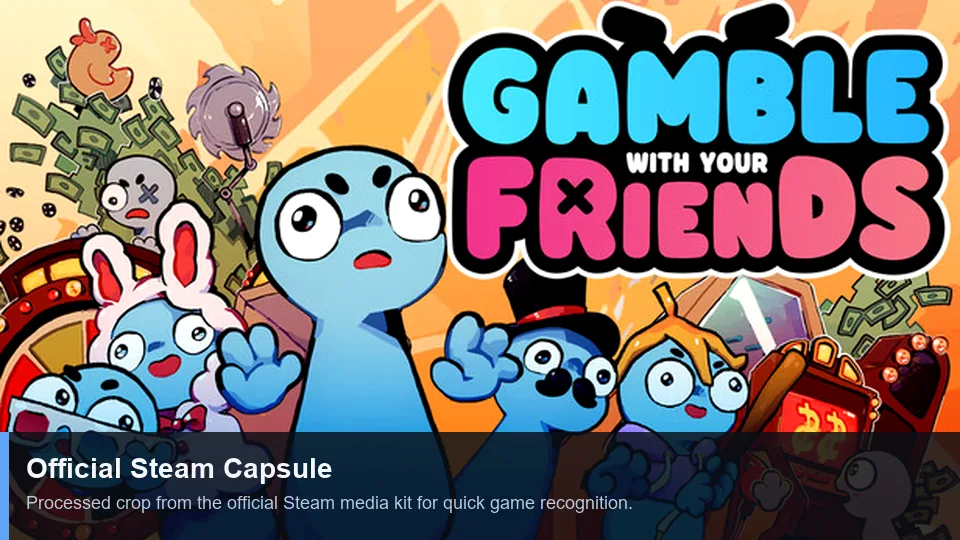
The official store art and trailer show the game as a social co-op experience. They are included here as real first-party media, not as a substitute for the setup steps.
Fixes
Lobby and invite troubleshooting
Change one variable at a time. Start with version and Steam-state checks before changing networks, firewalls, or system settings.
| Symptom | Likely cause | What to try |
|---|---|---|
| Invite never appears | Steam presence, overlay, or stale session | Bring both players online, reopen the overlay, recreate the lobby, and resend once. |
| Friend accepts but does not load | Version mismatch or stale game process | Update both copies, fully exit the game, restart Steam, and create a fresh lobby. |
| Only one player repeatedly fails | Local network, firewall, or account-state issue | Test a different host, confirm Steam is online, and review local security software without disabling protection permanently. |
| Voice chat is silent | Wrong input/output device or permissions | Check the selected microphone, operating-system privacy permission, and game audio settings. |
| Lobby works until mods are enabled | Mod mismatch or unsupported multiplayer behavior | Return to an unmodded baseline, then consult the dedicated mods guide before adding changes. |
Keyword Boundaries
What belongs on this page
Related keywords were assigned by search intent instead of creating a page for every variation.
| Keyword cluster | Decision | Reason |
|---|---|---|
| gamble with your friends multiplayer | New page core topic | Distinct lobby, player-count, invitation, and connection intent. |
| gamble with your friends invite friends | Primary section + FAQ | Useful setup task, but too narrow for a second standalone page. |
| how to play gamble with your friends | Existing beginner guide | Broad gameplay intent already belongs to the main guide. |
| gamble with your friends strategy / tips / how to win | Existing beginner guide + internal anchors | High demand, but a new URL would duplicate the established strategy page. |
| multiplayer cracked / free download | No action | Piracy and unsafe-download intent is outside this site’s editorial scope. |
FAQ
Multiplayer FAQ
Sources
Official references
Player-count and feature claims were checked against first-party Steam information on July 13, 2026.