Platform Availability
Is Gamble With Your Friends on PS5, Xbox, Mac, or Steam Deck?
Use this page when you only need the platform answer. It separates confirmed Steam information from unconfirmed console or Mac searches, explains what crossplay currently means, and points you toward safe official sources instead of key, crack, or mirror sites.
The Short Answer
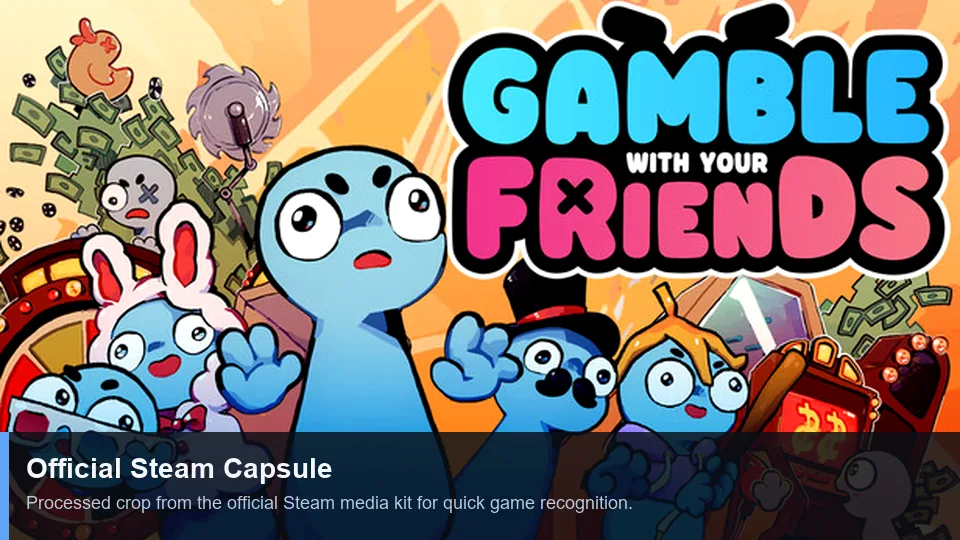
Gamble With Your Friends should currently be treated as a Steam-first PC game unless an official store or developer channel says otherwise. The public Steam listing identifies Windows 10/11 requirements and Steam features such as online co-op, achievements, cloud saves, and Family Sharing. That is enough to answer most platform searches: PC through Steam is the confirmed path; PS5, Xbox, and native Mac versions should not be assumed from search snippets or download mirrors.
For Steam Deck, the safest wording is cautious. Steam shows Deck-related review filtering and the game may be tested by players, but that is not the same as a guaranteed verified experience on every Deck setup. Check the current Steam compatibility note, recent user reviews, and refund window before treating the Deck as your main way to play.
For system requirements searches, verify the live Steam requirements block before buying. This guide records the Windows-first pattern, but requirements can change with patches, Proton behavior, and Steam Deck compatibility notes.
Quick Reference
Gamble With Your Friends Platform Availability Table
Platform pages often become outdated quickly. This table avoids guessing and separates official evidence from practical player checks.
| Platform | Current answer | What to verify | Best next step |
|---|---|---|---|
| Steam on Windows PC | Confirmed as the main public route. | Price, release state, recent patch notes, and system requirements. | Open the official Steam page before buying. |
| PS5 | No verified official PlayStation listing found from this site audit. | PlayStation Store page or developer announcement. | Do not rely on third-party download claims. |
| Xbox | No verified official Xbox listing found from this site audit. | Microsoft Store page, Xbox announcement, or developer post. | Treat Xbox availability as unconfirmed until official. |
| Mac | Native Mac support is not confirmed by the Windows-focused Steam requirements checked here. | Steam system requirements and recent Mac user reports. | Avoid assuming it works without a Mac label. |
| Steam Deck | Possible to investigate through Steam, but not guaranteed by this guide. | Steam Deck compatibility status, Proton reports, control comfort, and performance. | Check current Steam compatibility before purchase. |
| Crossplay | Steam-to-Steam online co-op is the relevant confirmed context. | Whether any non-Steam platform exists later. | Use the same official platform with your group. |
| Mobile | No official mobile version is verified here. | App Store or Google Play developer listing. | Avoid APK mirrors and fake download pages. |
Confirmed Route
Steam and Windows PC: What Is Actually Confirmed
The official Steam listing is the strongest source for availability because it controls purchase, install, updates, reviews, community discussions, achievements, cloud support, and refund handling. For a small co-op game, that matters more than a search result promising a loose installer or a key page.
Before a group buys copies, have one player check the store page and read the most recent user reviews. Confirm that everyone is on a compatible PC, that online co-op is still described on the page, and that the price or release state matches what the group expects.
- Use the Steam app page for current price and install status.
- Check Windows requirements before inviting friends with older laptops.
- Read recent reviews for connection, performance, and Steam Deck notes.
- Use Steam achievements and cloud save notes as official feature signals.
- Bookmark this wiki for strategy; use Steam for purchase and support decisions.
- Check the current Steam system requirements block before purchase.
- For low-end laptops or Steam Deck, read recent reviews for performance, controller, text-size, and online-session notes.
Console Searches
Is Gamble With Your Friends on PS5 or Xbox?
PS5 and Xbox searches usually come from players who want to invite a console-only friend. The conservative answer is better than a speculative one: do not assume console support until there is a platform-store listing or a developer announcement.
PS5
A PS5 version should have a PlayStation Store page, official trailer tag, or developer announcement. Without that, a random result using the game name is not enough proof.
Search boundary: do not confuse wishlists, forum requests, or copied pages with release confirmation.
Xbox
An Xbox version should appear through the Microsoft Store, Xbox news channels, or the developer's official posts. If your friend group is split between PC and Xbox, plan around PC until proof appears.
Search boundary: Xbox availability and crossplay are separate claims.
Console alternatives
If the group needs console co-op today, choose a confirmed console party game instead of trying unofficial ports, cloud mirrors, or unknown installers.
Safe habit: official stores first, wiki guidance second.
Mac and Handheld PC
Mac, Steam Deck, and Compatibility Caveats
Mac and Steam Deck questions need different answers. Mac support depends on an explicit macOS requirement or store label. Steam Deck is a Linux handheld PC environment where Proton, controller mapping, text size, and performance can all affect the experience.
Check the Steam requirements line first
If the store requirements only list Windows, native macOS support is not confirmed. Do not buy a copy for a Mac-only player unless Steam or the developer says macOS is supported.
Read Deck-specific reports
For Steam Deck, look at the Steam compatibility badge and recent player reviews. A game can launch through Proton but still feel awkward if text, controls, or online sessions are unreliable.
Use the refund window wisely
If you test on a borderline setup, keep the playtime and purchase window in mind. The safest test is a short private lobby with one friend, not a long session that exceeds refund rules.
Keep everyone on the same build
Co-op troubleshooting gets harder when one player uses a different compatibility layer or unofficial launcher. Same store, same update, and same region settings reduce friction.
Multiplayer Reality Check
Does Gamble With Your Friends Have Crossplay?
The confirmed multiplayer context for this guide is online co-op through Steam. That means the useful question is usually not crossplay between consoles; it is whether every friend can install and join through the same Steam version.
If official console or Mac versions appear later, crossplay would still need separate confirmation. A game being on two platforms does not automatically mean players can share lobbies across those platforms.
Group setup checklist
- Confirm every player owns the same official store version.
- Update before the session instead of troubleshooting mid-run.
- Check privacy, lobby, and invite settings in Steam.
- Use voice chat discipline once the lobby works; platform compatibility does not solve quota mistakes.
Safety and Intent
Avoid Fake Keys, Cracks, and Mirror Downloads
Similarweb keyword data shows demand for keys, cracks, and unofficial download terms around this game. This wiki intentionally does not satisfy those intents because they can expose players to malware, broken builds, stolen accounts, and multiplayer incompatibility.
| Search intent | Why it is risky | Safer answer |
|---|---|---|
| Steam key | Third-party key pages can be region-locked, revoked, overpriced, or unrelated to the real app. | Use Steam or a clearly authorized seller if the developer names one. |
| Crack or free download | Unofficial installers can include malware and usually break online co-op or updates. | Wait for an official sale, demo, bundle, or developer-approved trial. |
| APK or mobile port | A PC Steam game name on an APK page is a common impersonation pattern. | Only trust App Store, Google Play, Steam, or official developer links. |
| Online fix | Network patches can damage accounts, saves, and lobby stability. | Use official updates and Steam community troubleshooting. |
| Cheats | Cheat tools can corrupt runs, ruin co-op balance, or trigger security issues. | Use guide knowledge, item planning, and team strategy instead. |
Platform FAQ