Multiplayer Setup
Guida multiplayer di Gamble With Your Friends: invitare amici
Scopri il multiplayer da 1 a 6 giocatori, gli inviti Steam per cinque amici, la chat di prossimità e la soluzione dei problemi della lobby.
Risposta rapida: come funziona il multiplayer?
Gamble With Your Friends supporta da 1 a 6 giocatori online. Un host crea una sessione privata per amici e invita fino a cinque contatti Steam. La pagina ufficiale indica anche la chat vocale di prossimità.
Preparazione
Lobby checklist
Use the same updated Steam build and confirm everyone is online before hosting.
Official Steam build
Launch through Steam; unofficial or cracked copies are outside this guide.
Update everyone
Finish updates and restart Steam.
Stable host
Keep one reliable host while testing.
Online presence
Confirm every friend appears online and invite-ready.
Inviti
Come invitare gli amici
Create the private session first, then send invitations through the game or Steam overlay.
Launch through Steam
The host opens the game from the Steam library.
Create the lobby
Choose friends-only multiplayer and wait for the lobby.
Invite five friends
Use the game invite control or Steam overlay.
Check loading
Confirm every player and voice connection before starting.
Restart cleanly
Restart the game and Steam, then recreate the lobby if needed.
Dimensione del gruppo
Numero ideale: solo, gruppo piccolo o sei
The official range is one to six; choose based on speed, coordination, and social chaos.
| Gruppo | Ideale per | Svantaggio |
|---|---|---|
| 1 giocatore | Imparare sistemi e ritmo | Nessun supporto cooperativo |
| 2–3 giocatori | Decisioni rapide e facile organizzazione | Ogni errore pesa di più |
| 4 giocatori | Buon equilibrio di ruoli e comunicazione | Servono regole chiare |
| 5–6 giocatori | Massimo caos sociale | Più voci sovrapposte e maggiori esigenze per la lobby |
Comunicazione
Usare bene la chat di prossimità
Repeat important calls because distant players may not hear proximity audio.
Repeat decisions
Confirm quota, exit, and risk calls.
Short callouts
Use names, places, danger, and timing.
Regroup rule
Choose a meeting place before splitting.
Backup chat
Keep Steam chat available for audio failures.
Media ufficiali
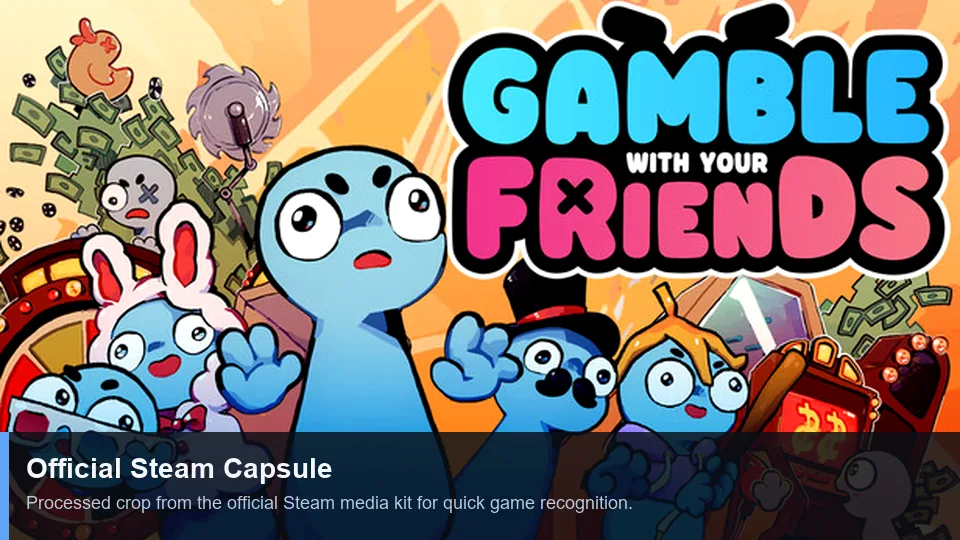
Official multiplayer media
First-party Steam art and trailer illustrate the social co-op presentation.
Risoluzione problemi
Risolvere problemi di lobby e inviti
Change one variable at a time, starting with versions and Steam status.
| Problema | Causa probabile | Cosa provare |
|---|---|---|
| Invito assente | Stato Steam o lobby vecchia | Andare online, ricreare la lobby e inviare di nuovo una volta. |
| Invito accettato ma nessun accesso | Versioni diverse | Aggiornare tutti e riavviare gioco e Steam. |
| Fallisce una sola persona | Rete, firewall o account | Provare un altro host e controllare la sicurezza senza disattivare la protezione in modo permanente. |
| Nessuna voce | Dispositivo o permesso errato | Controllare microfono, permessi del sistema e audio del gioco. |
| Errore solo con mod | Mod incompatibili | Tornare al gioco pulito e leggere la guida alle mod. |
Limiti delle parole chiave
Cosa appartiene a questa pagina
Le parole correlate sono assegnate in base all’intento; non ogni variante richiede una nuova pagina.
| Gruppo di keyword | Decisione | Motivo |
|---|---|---|
| multiplayer | New page | Distinct lobby and invite intent. |
| invite friends | Section + FAQ | Too narrow for another page. |
| how to play | Existing guide | Broad gameplay intent. |
| strategy / tips | Existing guide + anchors | A new URL would duplicate intent. |
| cracked / free | No action | Unsafe piracy intent is excluded. |
FAQ
FAQ multiplayer
Fonti
Riferimenti ufficiali
Player-count and feature claims were checked on the official Steam page on July 13, 2026.