Multiplayer Setup
Guía multijugador de Gamble With Your Friends: invitar amigos
Aprende a jugar con 1–6 personas, invitar hasta cinco amigos en Steam, usar el chat de proximidad y resolver problemas de sala.
Respuesta rápida: ¿cómo funciona el multijugador?
Gamble With Your Friends admite de 1 a 6 jugadores en línea. El anfitrión crea una sesión privada para amigos e invita hasta cinco contactos de Steam. La ficha oficial también indica chat de voz por proximidad.
Preparación
Lobby checklist
Use the same updated Steam build and confirm everyone is online before hosting.
Official Steam build
Launch through Steam; unofficial or cracked copies are outside this guide.
Update everyone
Finish updates and restart Steam.
Stable host
Keep one reliable host while testing.
Online presence
Confirm every friend appears online and invite-ready.
Invitaciones
Cómo invitar amigos en Gamble With Your Friends
Create the private session first, then send invitations through the game or Steam overlay.
Launch through Steam
The host opens the game from the Steam library.
Create the lobby
Choose friends-only multiplayer and wait for the lobby.
Invite five friends
Use the game invite control or Steam overlay.
Check loading
Confirm every player and voice connection before starting.
Restart cleanly
Restart the game and Steam, then recreate the lobby if needed.
Tamaño del grupo
Mejor tamaño de grupo: solo, pocos o seis
The official range is one to six; choose based on speed, coordination, and social chaos.
| Grupo | Ideal para | Desventaja |
|---|---|---|
| 1 jugador | Practicar sistemas y ritmo | Sin apoyo cooperativo |
| 2–3 jugadores | Decisiones rápidas y fácil coordinación | Cada error pesa más |
| 4 jugadores | Buen equilibrio de funciones y comunicación | Necesita reglas claras |
| 5–6 jugadores | Máximo caos social | Más voces simultáneas y exigencia para la sala |
Comunicación
Cómo usar el chat de proximidad
Repeat important calls because distant players may not hear proximity audio.
Repeat decisions
Confirm quota, exit, and risk calls.
Short callouts
Use names, places, danger, and timing.
Regroup rule
Choose a meeting place before splitting.
Backup chat
Keep Steam chat available for audio failures.
Medios oficiales
Official multiplayer media
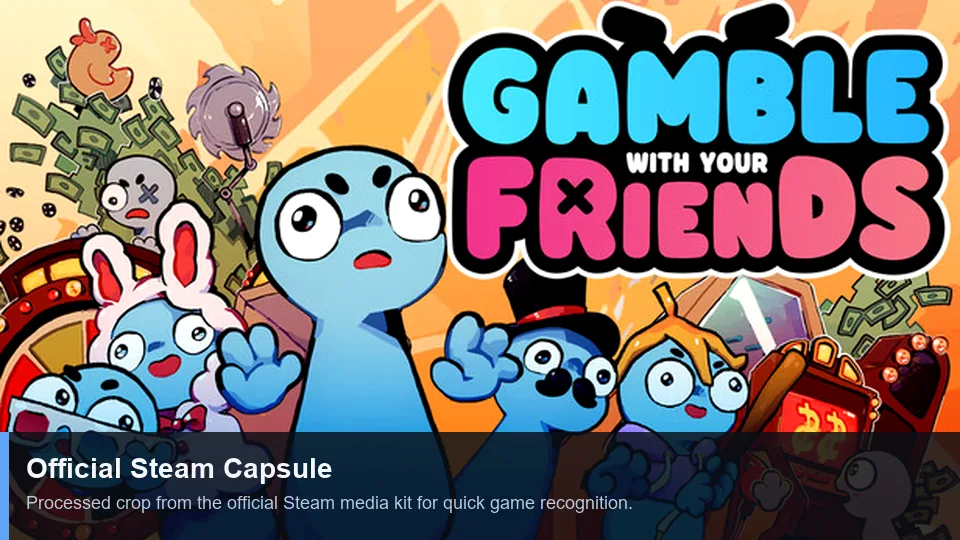
First-party Steam art and trailer illustrate the social co-op presentation.
Soluciones
Solución de problemas de sala e invitaciones
Change one variable at a time, starting with versions and Steam status.
| Síntoma | Causa probable | Qué probar |
|---|---|---|
| No aparece la invitación | Estado de Steam o sala antigua | Ponerse en línea, recrear la sala y reenviar una vez. |
| Acepta pero no entra | Versiones diferentes | Actualizar todos, reiniciar juego y Steam. |
| Falla una sola persona | Red, firewall o cuenta | Probar otro anfitrión y revisar seguridad sin desactivar la protección permanentemente. |
| No hay voz | Dispositivo o permiso incorrecto | Revisar micrófono, permisos del sistema y audio del juego. |
| Solo falla con mods | Mods incompatibles | Volver al juego limpio y consultar la guía de mods. |
Límites de palabras clave
Qué corresponde a esta página
Las palabras relacionadas se asignan por intención de búsqueda; no se crea una página para cada variante.
| Grupo de palabras | Decisión | Motivo |
|---|---|---|
| multiplayer | New page | Distinct lobby and invite intent. |
| invite friends | Section + FAQ | Too narrow for another page. |
| how to play | Existing guide | Broad gameplay intent. |
| strategy / tips | Existing guide + anchors | A new URL would duplicate intent. |
| cracked / free | No action | Unsafe piracy intent is excluded. |
FAQ
Preguntas sobre multijugador
Fuentes
Referencias oficiales
Player-count and feature claims were checked on the official Steam page on July 13, 2026.