Multiplayer Setup
Gamble With Your Friends Multiplayer-Guide: Freunde einladen
So funktionieren 1–6 Spieler, Steam-Einladungen für bis zu fünf Freunde, Proximity-Voice-Chat und die Behebung von Lobby-Problemen.
Kurzantwort: Wie funktioniert der Multiplayer?
Gamble With Your Friends unterstützt online 1–6 Spieler. Ein Host erstellt eine private Freundeslobby und lädt bis zu fünf Steam-Freunde ein. Laut offizieller Steam-Seite gibt es Proximity-Voice-Chat.
Vorbereitung
Lobby checklist
Use the same updated Steam build and confirm everyone is online before hosting.
Official Steam build
Launch through Steam; unofficial or cracked copies are outside this guide.
Update everyone
Finish updates and restart Steam.
Stable host
Keep one reliable host while testing.
Online presence
Confirm every friend appears online and invite-ready.
Einladung
Freunde in Gamble With Your Friends einladen
Create the private session first, then send invitations through the game or Steam overlay.
Launch through Steam
The host opens the game from the Steam library.
Create the lobby
Choose friends-only multiplayer and wait for the lobby.
Invite five friends
Use the game invite control or Steam overlay.
Check loading
Confirm every player and voice connection before starting.
Restart cleanly
Restart the game and Steam, then recreate the lobby if needed.
Gruppengröße
Beste Gruppengröße: Solo bis sechs Spieler
The official range is one to six; choose based on speed, coordination, and social chaos.
| Gruppe | Geeignet für | Nachteil |
|---|---|---|
| 1 Spieler | Systeme und Tempo üben | Keine Unterstützung durch Mitspieler |
| 2–3 Spieler | Schnelle Absprachen und einfache Terminfindung | Jeder Fehler wiegt stärker |
| 4 Spieler | Ausgewogene Rollen und Kommunikation | Klare Entscheidungsregeln nötig |
| 5–6 Spieler | Maximales soziales Chaos | Mehr überlappende Ansagen und höhere Lobby-Anforderungen |
Kommunikation
Proximity-Voice-Chat sinnvoll nutzen
Repeat important calls because distant players may not hear proximity audio.
Repeat decisions
Confirm quota, exit, and risk calls.
Short callouts
Use names, places, danger, and timing.
Regroup rule
Choose a meeting place before splitting.
Backup chat
Keep Steam chat available for audio failures.
Offizielle Medien
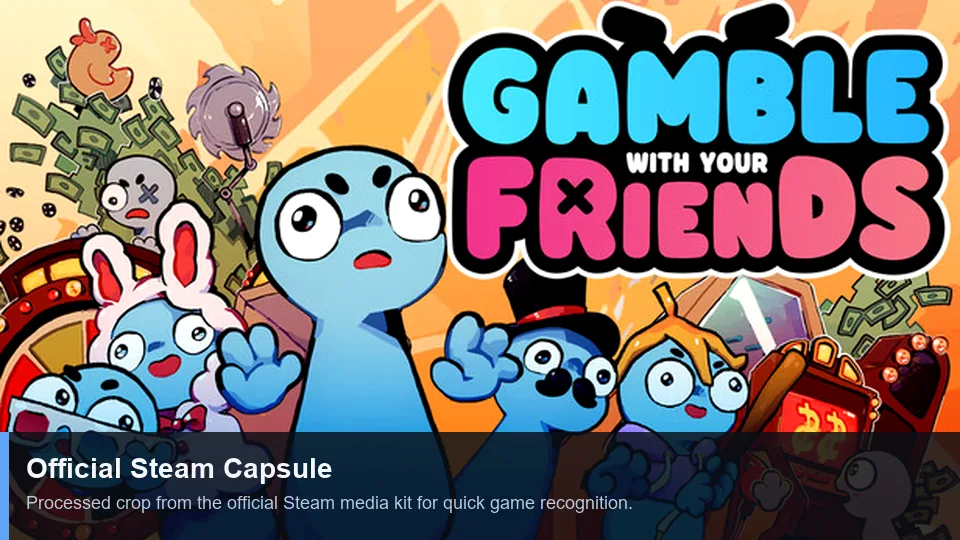
Official multiplayer media
First-party Steam art and trailer illustrate the social co-op presentation.
Fehlerbehebung
Lobby- und Einladungsprobleme lösen
Change one variable at a time, starting with versions and Steam status.
| Problem | Wahrscheinliche Ursache | Lösung |
|---|---|---|
| Einladung erscheint nicht | Steam-Status oder veraltete Lobby | Online gehen, Lobby neu erstellen und einmal erneut senden. |
| Annahme ohne Beitritt | Unterschiedliche Versionen | Alle aktualisieren, Spiel und Steam neu starten. |
| Nur eine Person scheitert | Netzwerk, Firewall oder Kontostatus | Anderen Host testen und Sicherheitseinstellungen prüfen, ohne Schutz dauerhaft abzuschalten. |
| Kein Voice-Chat | Falsches Gerät oder fehlende Berechtigung | Mikrofon, Betriebssystemrechte und Audioeinstellungen prüfen. |
| Fehler nur mit Mods | Nicht übereinstimmende Mods | Zum unveränderten Spiel zurückkehren und den Mod-Guide lesen. |
Keyword-Grenzen
Was auf diese Seite gehört
Verwandte Suchbegriffe werden nach Suchabsicht zugeordnet; nicht jede Variante erhält eine eigene Seite.
| Keyword-Gruppe | Entscheidung | Grund |
|---|---|---|
| multiplayer | New page | Distinct lobby and invite intent. |
| invite friends | Section + FAQ | Too narrow for another page. |
| how to play | Existing guide | Broad gameplay intent. |
| strategy / tips | Existing guide + anchors | A new URL would duplicate intent. |
| cracked / free | No action | Unsafe piracy intent is excluded. |
FAQ
Multiplayer-FAQ
Quellen
Offizielle Quellen
Player-count and feature claims were checked on the official Steam page on July 13, 2026.